Down Speed Ratio
Because of different flow restrictions and the affect of gravity, booms generally lower faster than the raise for the same change in control effort. Down speed ratio accounts for this difference.
-
Select the Diagnostics
 icon.
icon. -
Select the Tests
 tab.
tab. -
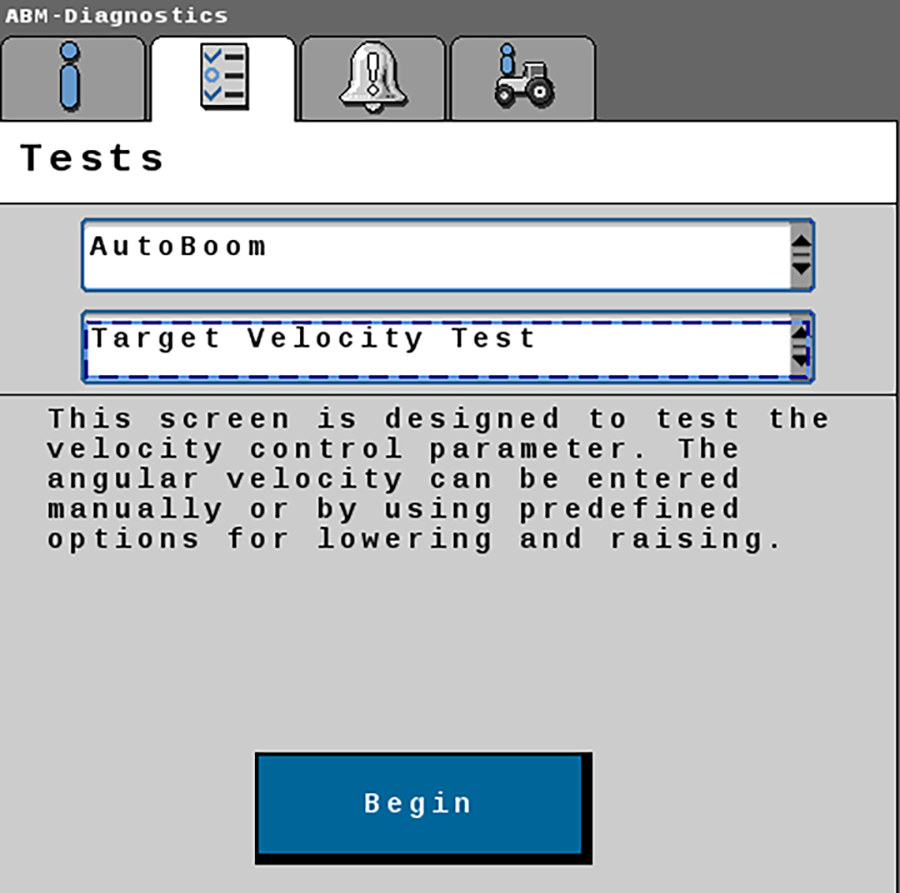
Select Target Velocity Test.
-
Select Begin Test.
-
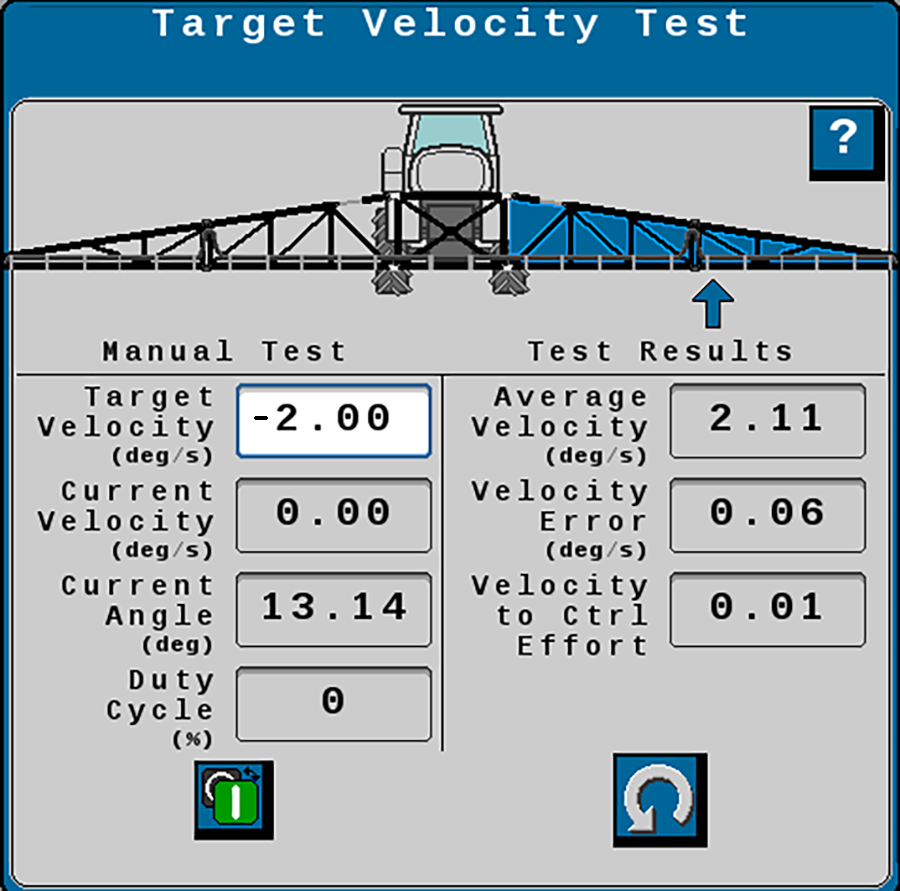
Set the Target Velocity to -2° per second.
-
Raise the center rack and tilt one boom so the boom is approximately 5° above horizontal.
-
Select Start Test. The boom should lower. When the test is complete, the average velocity will display.
-
Select the Settings (small gear) on the tab.
-
If the boom moved faster than the desired 2° per second, decrease the Down Speed Ratio. If the boom moved slower than the desired 2° per second, increase the Down Speed Ratio value.
-
Repeat the test for both booms until the speed matches the target velocity (+/- 20%).
Note: Test results are affected by coil temperature. Perform the tests three or more times in rapid succession for best results.
At this point most machines should be performing optimally. If further tuning is necessary, continue to Boom Gains. Test the machine performance in the field before adjusting Boom Gains.
Last Revised: Jul 2024