Enable the ISOBUS UT on the Display
Note: There may be some occurrences when the ISOBUS switch needs to be turned on in the terminal. Complete the following steps to turn it on.
-
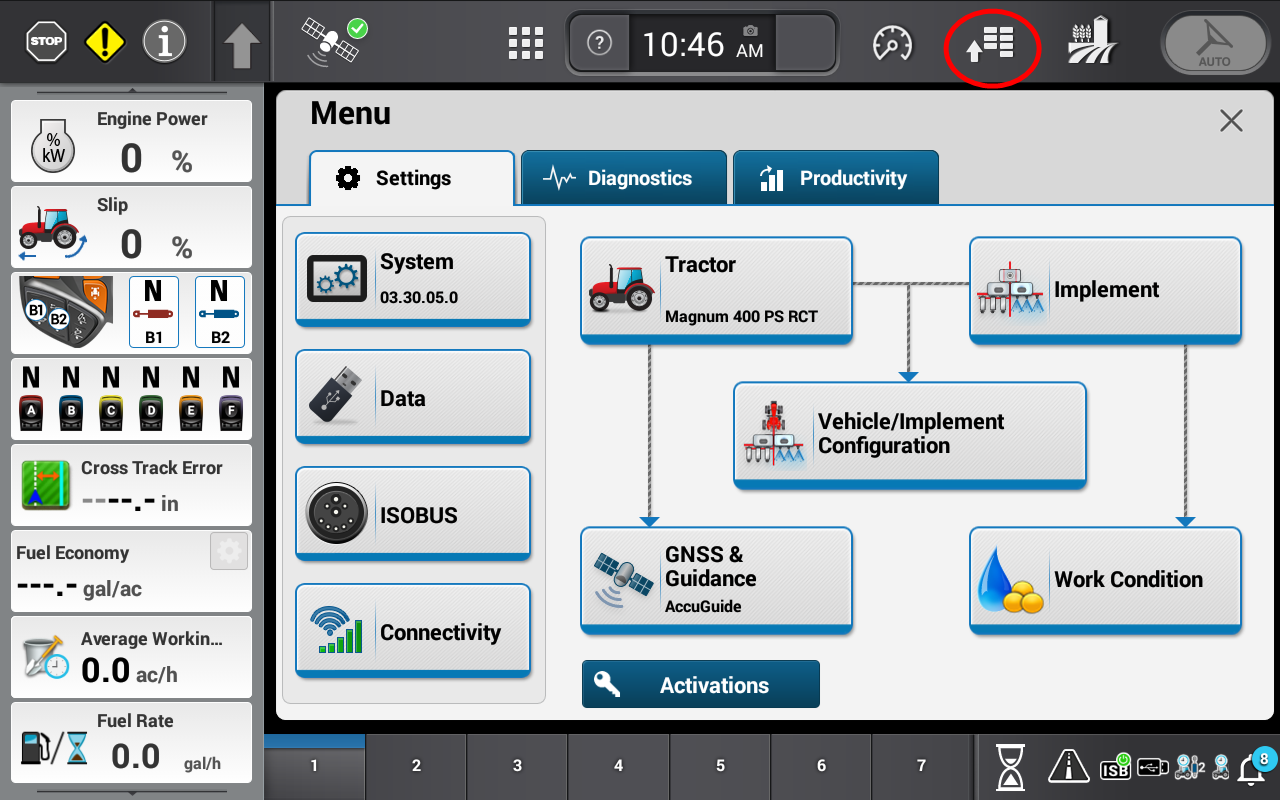
Press the icon in the upper right corner of the screen.
-
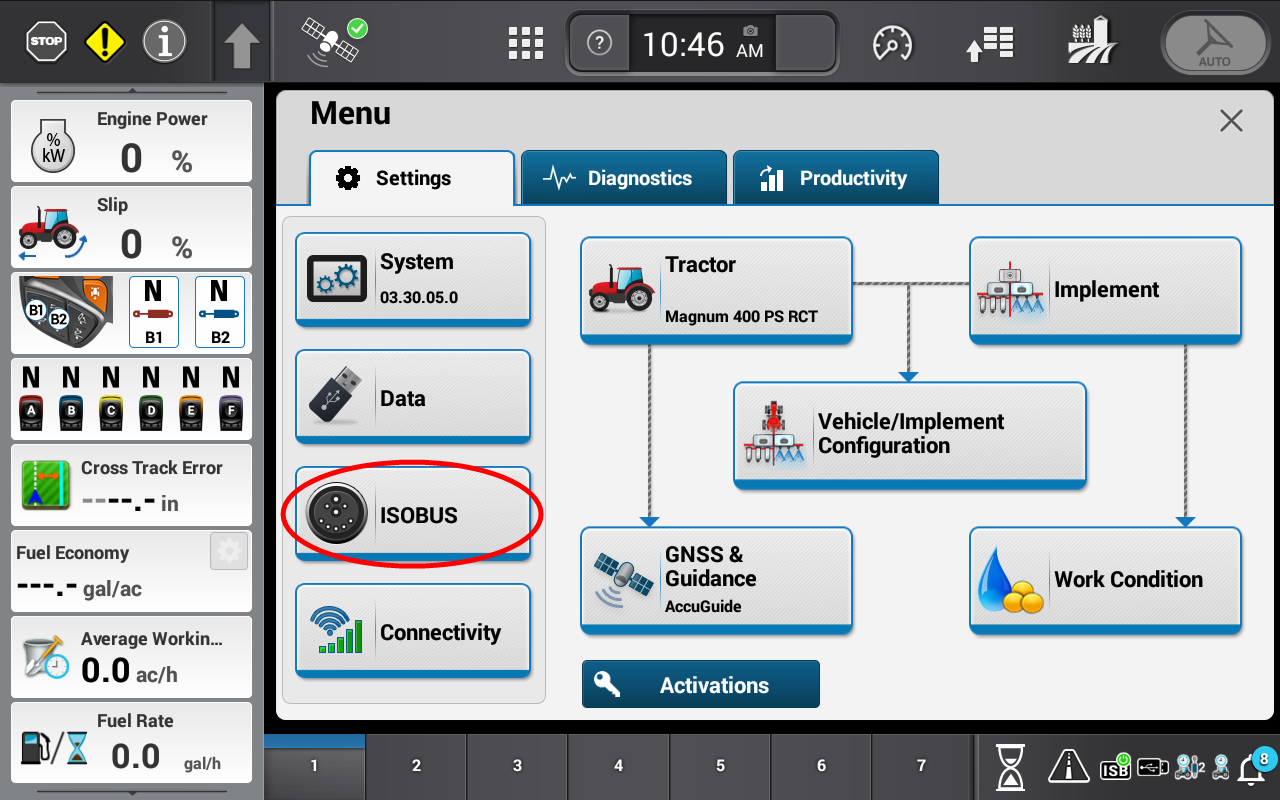
Press the ISOBUS icon.
-
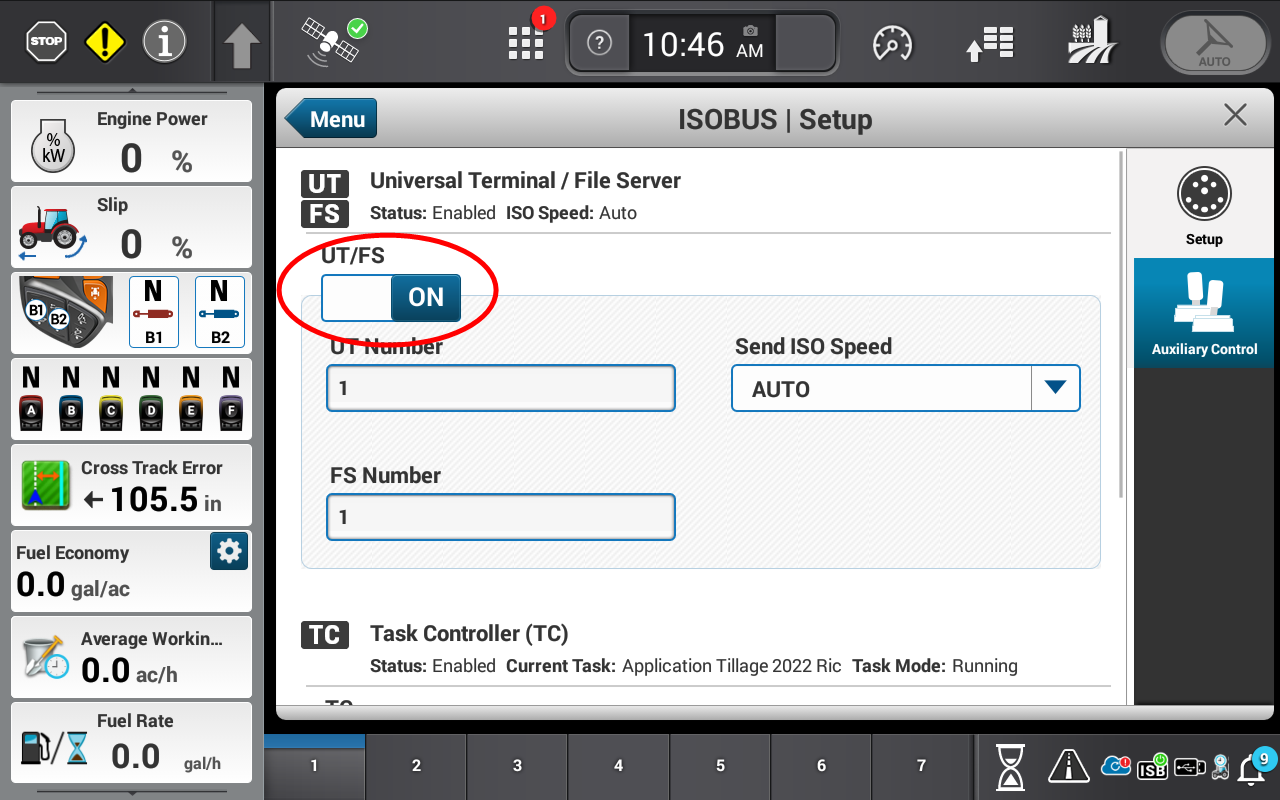
Toggle the Universal Terminal / File Server button to On.
Last Revised: Jun 2025