Adjust the Sync Point
Notice
Important! For any configuration change, including but not limited to changing the auger extension, changing a header, tire configuration, or changing a grain cart, operator must review and consider whether a sync point reset is needed.
Note: Required sync point minimum distance between vehicles is 1 m [3.3 ft].
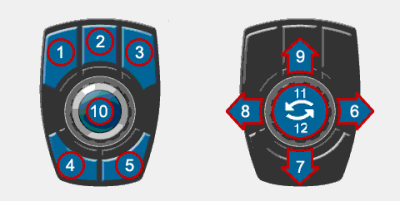
The sync point can be set from the combine while moving from the Cart Remote. The sync point can be set from the tractor while moving from the UI.
Cart Remote
-
Position the grain cart in the desired position.
-
Press number 10 on the Cart Remote.
User Interface
-
Position the grain cart in the desired position.
-
Press the Tools Icon
 on the combine UI.
 -
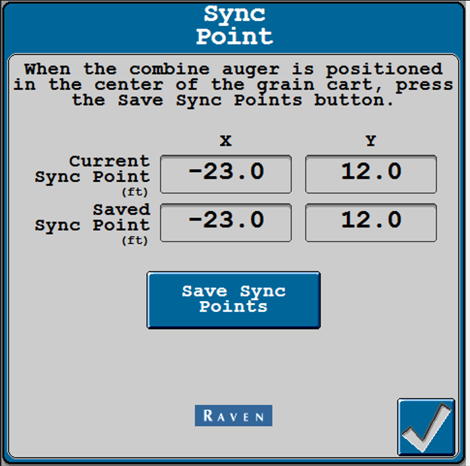
Navigate to the Sync Point window (Machine Settings>Sync Point).
-
Press Save Sync Points.
Last Revised: Jul 2024