Use Controller Product Quantities
To use controller product quantities in the completion record:
Note: Ensure that the Batch Product Quantities option is toggled to the ‘off’ position. Review the Batch Product Quantities Toggle Option topic for assistance.
 Dispatch Pro
- From the Dispatch Pro homepage, select the Support link in the upper, right corner of the page.
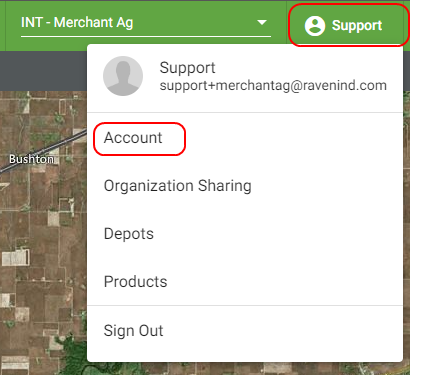
- Select Account.
- Select the Completion Requirements option from the Organization Settings area.
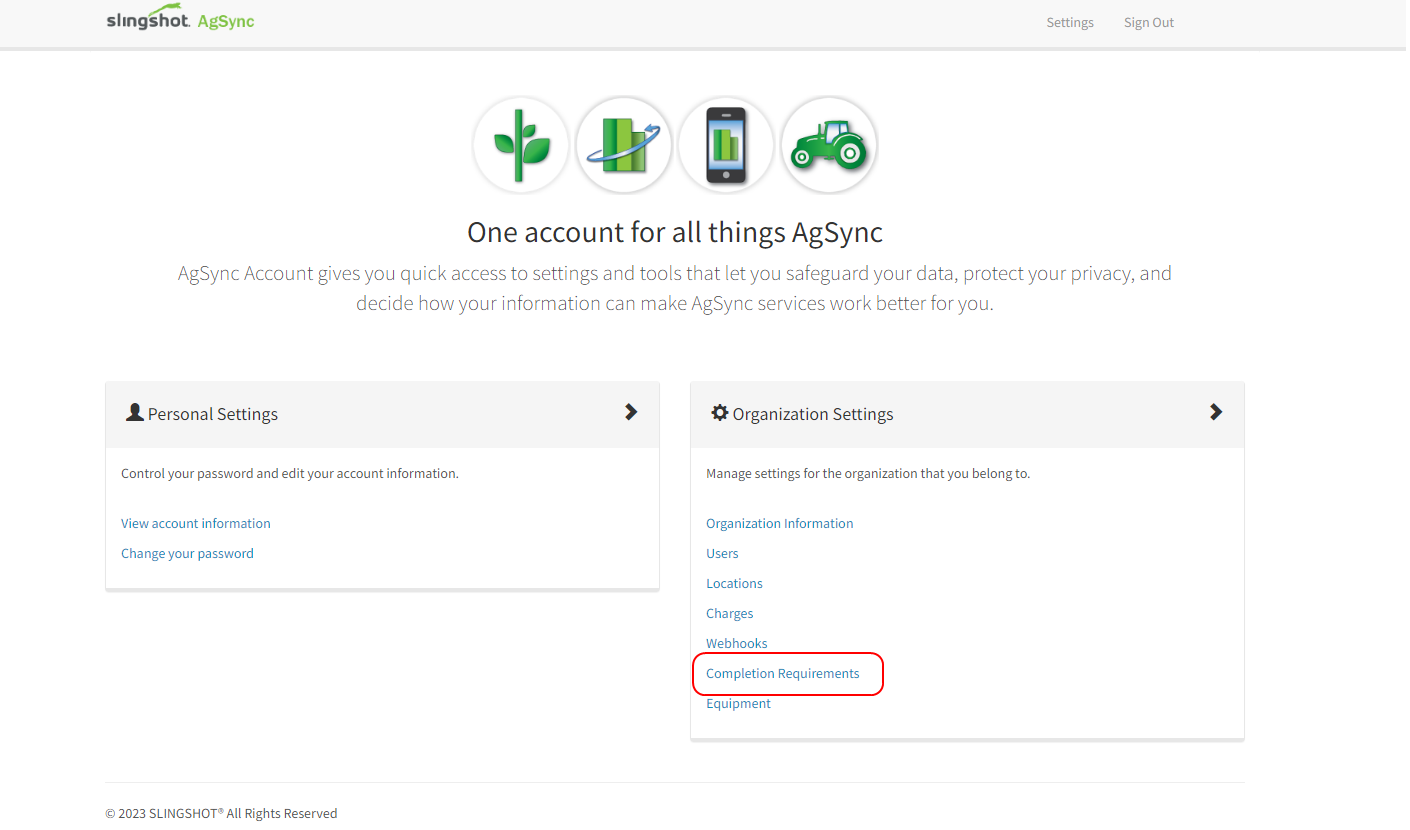
- Find the Controller Product Quantities options within the Equipment section and select one of the following options:
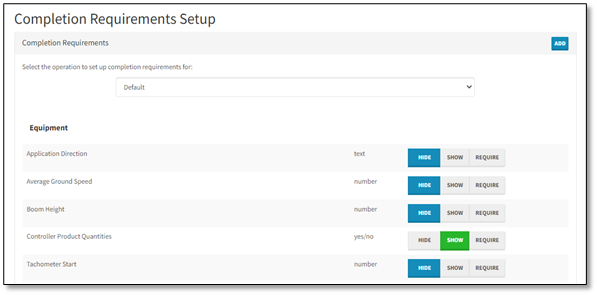
- Select the Show option to add controller product quantities to the completion record.
Note: The Batch Product Quantities option must be toggled to the ‘off’ position for controller product quantities to populate the completion record. Review the Batch Product Quantities Toggle Option topic for assistance.
If Controller Product Quantities is set to ‘Show’ and the Batch Product Quantities Toggle is left on, batch product quantities will overwrite controller product quantities.
- Select Hide to keep controller quantities hidden on the completion record. If the Batch Product Quantities Toggle remains off, this scenario will return ordered product quantities or Field Ops modifications.
- If Require is selected, the Controller Product Quantities check box must be selected upon every completion. This action is not necessary to display controller product quantities and is not recommended.
- Select the Show option to add controller product quantities to the completion record.
When the ‘Show’ option is set, the Controller Product Quantities check box will be displayed to add controller product quantities to the completion record in Dispatch Pro.
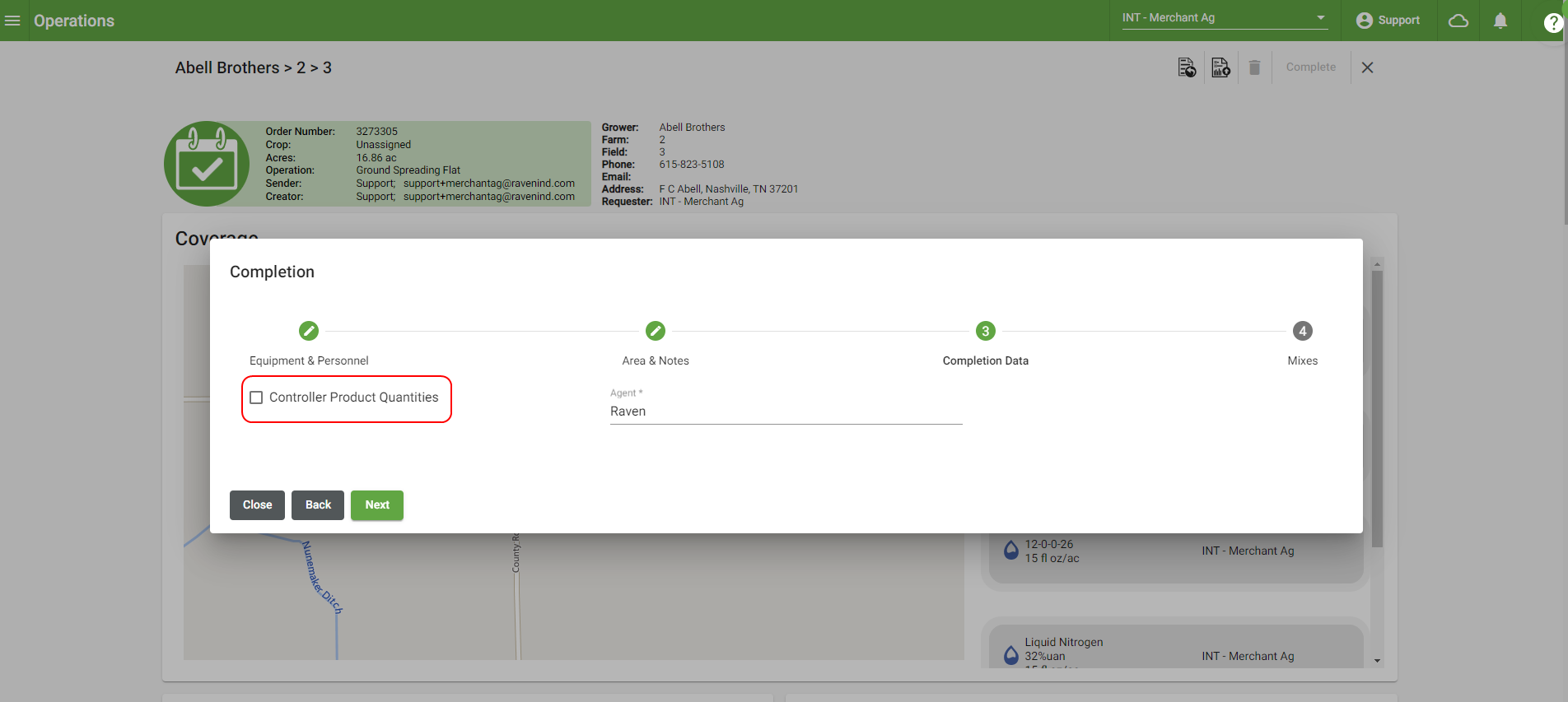
Note: The check box does not need to be selected every time a completion is done to populate the controller product quantities in the completion record. As long as the Batch Product Quantities option is toggled off, controller quantities will automatically populate the completion record.
AgSync V2
- Click Settings in the top, right corner of the homepage.
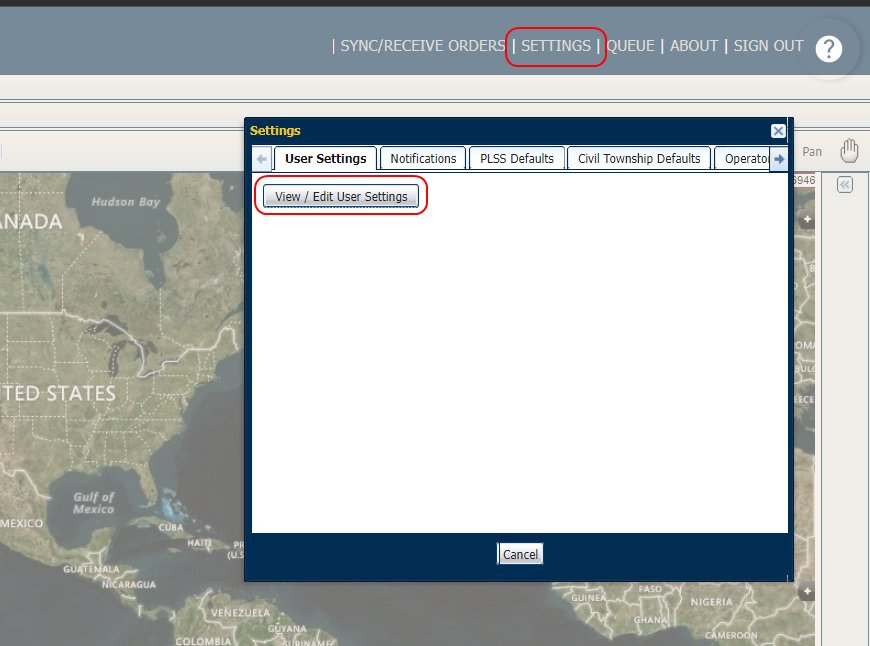
- Select View/Edit User Settings.
- Select the Completion Requirements option from the Organization Settings area.
- Find the Controller Product Quantities options within the Equipment section and select one of the following options:
- Select the Show option to add controller product quantities to the completion record.
Note: The Batch Product Quantities option must be toggled to the ‘off’ position for controller product quantities to populate the completion record. Review the Batch Product Quantities Toggle Option topic for assistance.
If Controller Product Quantities is set to ‘Show’ and the Batch Product Quantities Toggle is left on, batch product quantities will overwrite controller product quantities.
- Select Hide to keep controller quantities hidden on the completion record. If the Batch Product Quantities Toggle remains off, this scenario will return ordered product quantities or Field Ops modifications.
- If Require is selected, the Controller Product Quantities check box must be selected upon every completion. This action is not necessary to display controller product quantities and is not recommended.
- Select the Show option to add controller product quantities to the completion record.
- When the ‘Show’ option is set, the Controller Product Quantities check box will be displayed to add controller product quantities to the completion record in Dispatch Pro.
Note: The check box does not need to be selected every time a completion is done to populate the controller product quantities in the completion record. As long as the Batch Product Quantities option is toggled off, controller quantities will automatically populate the completion record.
Last Revised: Sep 2024