Batch Product Quantities Toggle Option
Use the Batch Product Quantities toggle to configure how the batch volume is registered in the AgSync completion record. The organization may opt to include either:
- the product quantities loaded in the batch, or
- the product quantities applied in the field as measured by the field computer.
Note: Quantities from the work order will be registered to the completion record if neither of these options are available.
Scenarios
Some common scenarios pertaining to quantities returned are as follows:
- Field Ops Quantities – As an Ag Retailer, not all machines in a fleet may have a Viper® 4. The organization may use the Field Ops app with those non-compatible machines and have the completion records or changes from Field Ops returned and displayed in Dispatch Pro.
Note: The default is to return quantities entered into the work order. However, if the quantities are edited via the Field Ops app, the quantity entered will be registered on the completion record.
- Batch or Kahler Quantities – As an Ag Retailer using a Kahler automated blender, the organization has the option display the Kahler actual quantities in Dispatch Pro, as well as have this amount update the batch product quantities in Dispatch Pro.
Note: If a mixing station is used, this will populate the batch product quantities automatically.
- Controller Quantities* – As an Ag Retailer using connected workflow, the organization may register the quantities controlled through a liquid flow meter returned to Dispatch Pro and used for invoicing. This option will also ensure that billing includes the total for all product applied, even if the total is more or less than what the customer had initially ordered.
Note: A more detailed explanation of this option, along with the necessary implementation instructions, is outlined in the Use Controller Product Quantities topic.
- Ordered Quantities – During dry or liquid application, an applicator may adjust the application rate based upon the knowledge that an excess or deficiency of product has been loaded on the machine to complete the work order. Instead of charging the customer for a miscalculation, the organization may want to use the quantities from the work order to the completion record.
Note: Quantities from the work order are only used when batch or controller quantities are not available or being used. Ordered quantities are used as a last resort.
When ordered, or upon scheduling of an order, the customer should expect ordered quantities to be returned. Upon completion, if the Batch Product Quantities option is toggled on, the quantities to be added to the completion record will vary based upon several factors as listed below:
- If each batch group does not have a total, ordered quantities will be returned.
- If there is only one field operation on the batch group, total product quantities of all batch groups will be returned.
- If there are multiple field operations on the batch group, and:
- If products and rates differ, or a field operation is variable rate, ordered quantities will be returned.
- If products and rates are the same and field operations are not variable rate, product totals for each batch will be multiplied by the area ordered on the field operation and divided by the total area completed on all field operations for the batch.
- If a completion record on the field operation was created by Connected Workflow, ordered quantities will be returned.
Note: If none of the above scenarios apply to the order, completed quantities will be returned when available.
Reconfigure Product Quantities
To change the Completed Acres setting after the initial deployment.
- Open the Configuration tab in the Prismatic instance.
- Click the Reconfigure button in the upper, right corner of the window.
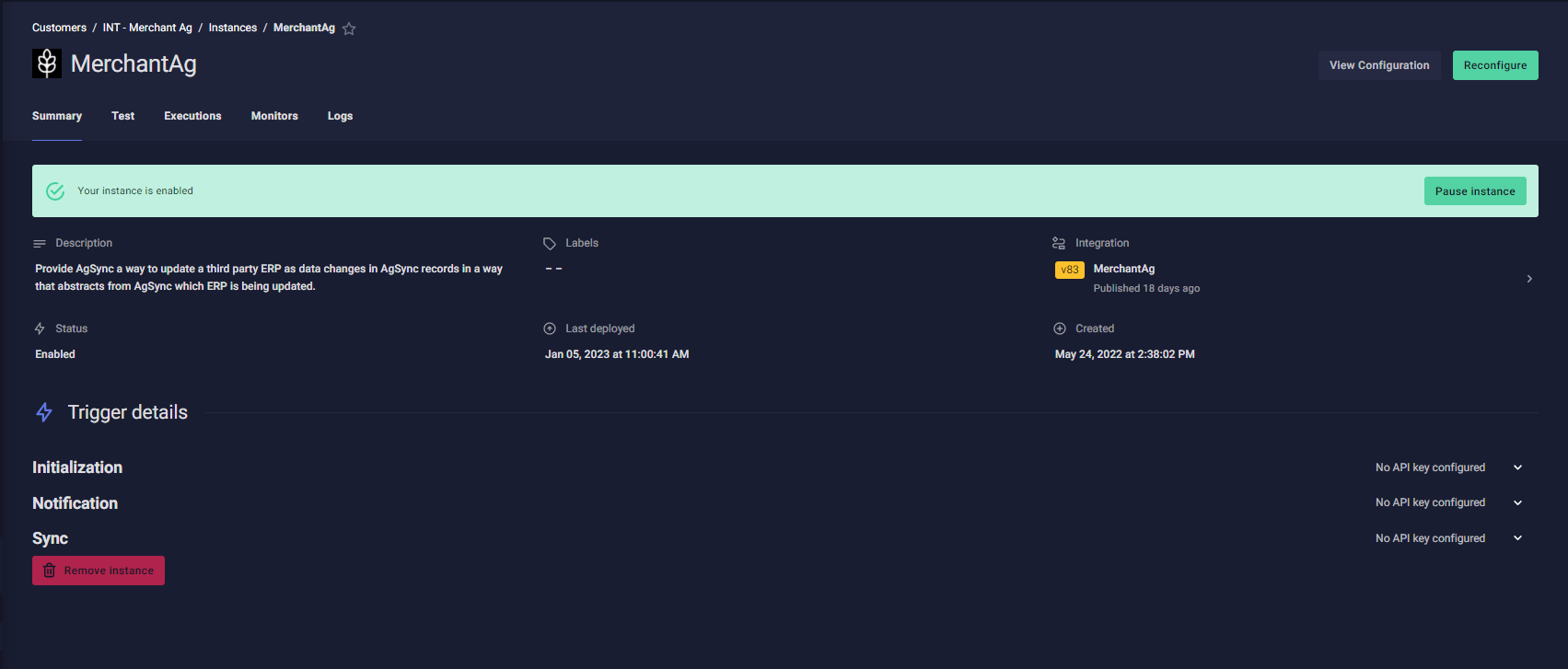
- Scroll down the page to locate the toggle variable and set it as desired.
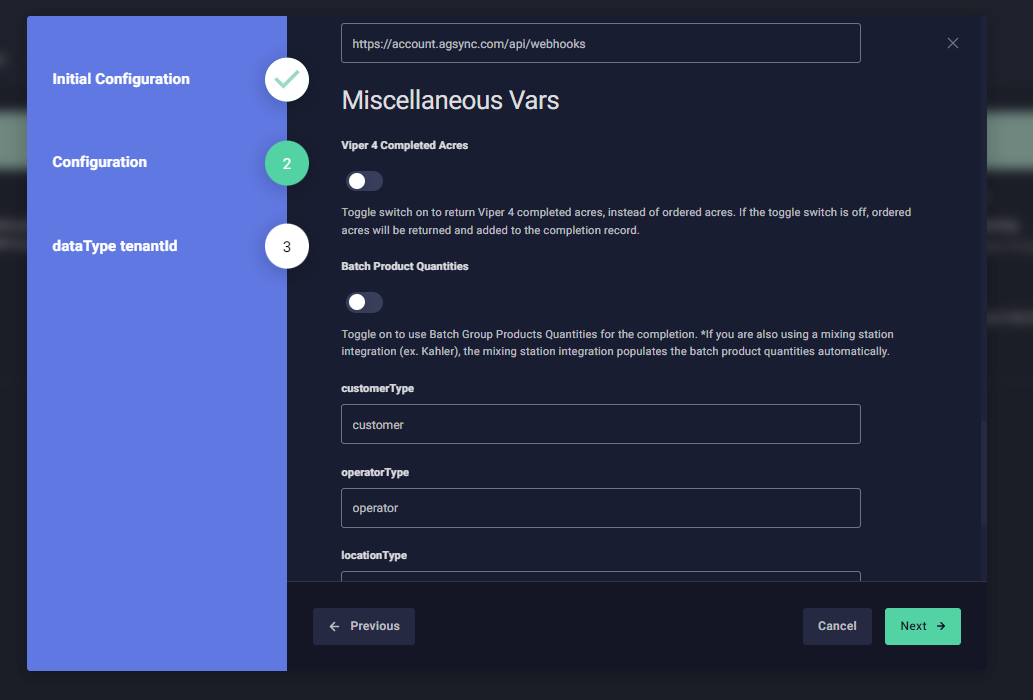
- Scroll back up and click the Save and Deploy button to put the changes into effect.
Note: The above instructions apply to both the Completed Area option as well as the Batch Product Quantities option.
Applied Volume (Default)
To return the applied volumeLike the Viper® 4 Completed Acres Toggle, the Batch Product Quantities Toggle can be set up the same way within the configuration tab of your instance in Prismatic.

Batch Product Quantities Toggle in the ‘off’ position – Note that this is the default option
Batch Volume
Batch Product Quantities Toggle in the ‘off’ position – Note that this is the default option

Batch Product Quantities Toggle in the ‘on’ position
Last Revised: Sep 2024